






Unlock the Future of Connectivity With An ESIM Card
Tired of fumbling with tiny physical SIM cards when switching carriers or traveling abroad? An eSIM, or embedded SIM, is a digital chip built directly into your device that performs the same function as a traditional plastic card. It allows you to activate a cellular plan remotely by scanning a QR code or using an app, without needing to insert or swap any hardware. This technology enables you to store multiple carrier profiles on a single device and easily switch between them through your settings menu.
The first time I swapped phones, I realized the difference: a physical SIM is a tangible plastic chip you must insert or eject, while a digital eSIM is a rewritable profile embedded directly into your device’s motherboard. With the plastic one, switching carriers meant hunting for a tiny tray or waiting for a delivery. With the eSIM, I simply scanned a QR code or downloaded a carrier app, and my phone was activated in minutes—no fumbling with hardware. An eSIM can store multiple profiles simultaneously, letting me toggle between work and personal lines without juggling cards. You can’t lose or damage a digital SIM because it exists only as encrypted data. Yet this immateriality means you must trust your device’s security entirely, as there is no physical object to fall back on.
Understanding the core technology behind the embedded SIM reveals a fundamental shift from hardware to software. An eSIM is a tamper-resistant chip soldered directly onto a device’s motherboard, replacing the removable plastic card. This chip contains a rewritable operating system, allowing a carrier profile to be securely downloaded and activated remotely. The identity credentials, known as “SIM data,” are provisioned over-the-air using the GSMA’s Remote SIM Provisioning (RSP) standard. This architecture means the eSIM firmware securely manages multiple profiles, enabling instant network switching without swapping cards. Unlike a physical SIM, the embedded chip is permanent, with the digital profile acting as the dynamic, user-accessible component.
Without a physical SIM card, activation shifts from inserting a chip to downloading a network profile. A user scans a QR code or uses a carrier app to install the eSIM profile directly onto the device’s embedded chip. This eliminates the wait for a mailed card or a store visit. The profile is activated almost instantly through a secure over-the-air update, requiring only a stable internet connection. Remote provisioning replaces the need to handle hardware, making the entire setup process purely digital and significantly faster than traditional physical SIM activation.

An eSIM eliminates the physical SIM tray, freeing up valuable internal storage space for a larger battery or slimmer device design. Regarding security, the embedded chip is soldered directly to the motherboard, making it impossible to remove or swap if a device is stolen, unlike a removable physical SIM. This hardware-based integration also resists cloning or tampering. eSIM security features further include remote locking and wiping capabilities, offering superior control if your phone is lost.
Q: Does an eSIM’s lack of a physical card make it less secure against hackers?
A: No, it’s more secure. The embedded hardware and encrypted remote provisioning prevent physical interception or removal, unlike a fragile plastic SIM.

Travelers switch to remote SIM profiles primarily for instant, hassle-free connectivity. Unlike physical SIM cards, an eSIM allows you to buy and activate a local data plan before you even land, eliminating airport queues. Can you use eSIM profiles on an older phone? No, only devices with a built-in eSIM chip support them. This remote management also lets you keep your home number active for calls while using a local data eSIM for internet, a seamless dual-line setup no physical SIM can match. Finally, you avoid the risk of losing a tiny plastic card; swapping providers is a simple software download.
Upon landing in a new country, travelers face the immediate friction of sourcing a local SIM card, often requiring navigation of unfamiliar streets and language barriers. An eSIM eliminates this entirely by enabling instant connectivity without hunting for local stores. The activation occurs remotely before departure, meaning data service is live the moment the plane touches down. This removes the logistical burden of locating a vendor, negotiating a plan in a foreign currency, or physically swapping a plastic card, allowing the user to focus solely on their itinerary.
Juggling a work line, a personal number, and a travel SIM used to mean carrying two phones. Now, with an eSIM, managing multiple numbers on one device seamlessly is effortless. You can instantly switch which line handles calls, texts, or data—no swapping physical cards required. Your home number stays active for banking codes while your travel number handles local rides. Keep your international business contact separate from family chat groups. It’s all just a tap away in settings.
Regional data plans on an eSIM are a lifesaver for dodging those painful roaming fees. Instead of paying your home carrier per megabyte abroad, you grab a single plan that covers a whole zone—like Europe or Southeast Asia. The trick is to activate a regional eSIM before you travel. Simply install it at home, then switch it on in your settings upon landing. To avoid accidental charges, follow this quick sequence:
That way, you use one flat-rate plan across multiple countries with zero surprise fees.
In 2025, eSIM technology works best for frequent international travelers who need instant, multi-network access without swapping physical cards. It excels in urban hubs with robust carrier support, such as major European cities, Tokyo, and New York, where digital profile switching is seamless. For digital nomads, eSIMs are optimal in regions with strong local eSIM adoption, like Southeast Asia, enabling cost-effective regional plans. Remote workers benefit most when hopping between countries, as eSIMs allow on-the-fly data purchases without downtime. The true advantage emerges for users with dual-SIM needs—keeping a home number active while adding a local data plan abroad. Yet, 2025 also reveals that rural or infrastructure-poor areas remain weak spots, where physical SIMs still outperform due to inconsistent eSIM registration.
For the best eSIM experience in 2025, flagship devices lead the pack. Most modern iPhones (from XS onward), Google Pixels (3a+), and Samsung Galaxy S-series (S20+) have native eSIM support, but double-check your specific model. Tablets like the iPad Pro (3rd gen+) and Galaxy Tab S7+ also work seamlessly. Wearables are trickier: the Apple Watch Series 3 and newer, plus Samsung Galaxy Watch4 and above, support eSIM for cellular plans. Always verify carrier compatibility first—some older models remain locked to a physical SIM.
Q: Can I use an eSIM on a budget smartphone?
A: Rarely—most low-end phones still lack eSIM hardware. Stick to midrange models like the Pixel 6a or Galaxy A54 for a reliable compromise.
Supported carrier coverage across different continents varies significantly, dictating where eSIM functions reliably. In North America and Europe, major operators like T-Mobile, Verizon, and Vodafone offer native eSIM profiles, providing seamless activation on local networks. Asia-Pacific carriers such as SoftBank (Japan) and TrueMove (Thailand) support eSIM, but smaller regional providers may require manual device scanning. Latin America and Africa remain fragmented, with only flagship carriers like Claro and MTN offering eSIM, often limited to postpaid plans. Australia’s Telstra and Optus provide robust support, while the Middle East sees growth via Etisalat and STC.
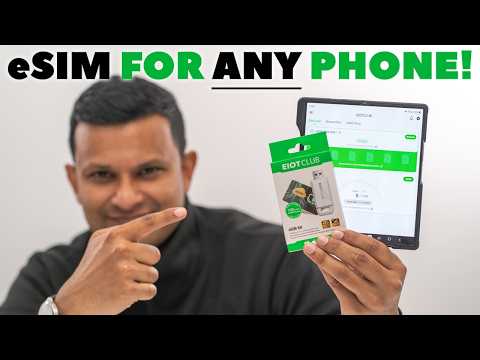
Devices still locked to physical trays in 2025 are typically older models or budget variants lacking native eSIM circuitry, creating a clear hardware divide. This limitation forces users who travel for work or need dual-line flexibility to rely on swapping nano-SIMs, which is impractical for quick carrier changes. The most notable eSIM adapter solutions involve thin physical cards that insert into the tray but convert the slot to accept digital profiles, though this adds bulk and can conflict with waterproof seals. Without such workarounds, users are entirely excluded from remote provisioning, meaning they must plan carrier transitions around physical card availability.
You purchase an eSIM plan online and receive a QR code or activation link via email. On your phone, navigate to cellular settings and select “Add eSIM.” Scan the provided QR code, or manually enter the activation details if prompted. Your device downloads the digital profile and may ask you to label it (e.g., “Travel Plan”). After the profile installs, you must enable data roaming for it to connect to a local network. Finally, set UK eSIM this eSIM as your primary data line in the settings menu, and you’ll see signal bars appear—your digital profile is now active and ready for immediate use.
Once you purchase an eSIM, your provider sends a unique QR code via email or in their app. To activate, open your phone’s settings, navigate to the cellular or mobile network section, and select “Add eSIM.” Then, simply scan the provider’s QR code using your device’s camera—the profile downloads and activates in seconds. Ensure a stable Wi-Fi connection during this step to avoid interruptions.
If automatic detection fails during activation, manual entry for carrier details becomes necessary. You must first open your device’s cellular settings and select “Add eSIM.” Choose the manual input option, then accurately type the activation code or SM-DP+ address provided by your carrier. Next, enter any required confirmation code exactly as printed on your eSIM purchase receipt. A typo in these numeric strings will prevent the profile from downloading. Once submitted, your device contacts the carrier’s server to fetch and install the eSIM configuration. Keep the codes accessible until you see the active signal.
Manual entry requires precise typing of the activation code and SM-DP+ address from your carrier to successfully install the eSIM profile.
Switching between eSIM profiles on Android requires navigating to dual SIM settings management under the SIM manager, where you can toggle or designate a profile as the primary data line without removing other profiles. On iOS, the process involves going to Cellular settings, selecting the desired line, then tapping “Turn On This Line” for instant profile activation. While Android allows per-profile data routing, iOS strictly enforces a single active data profile at a time. Q: Can I switch profiles without re-downloading them? Yes, as profiles remain in storage; switching merely changes the active configuration in the modem.
Ditching the plastic SIM for an eSIM makes switching carriers a breeze—you can hop networks instantly without hunting for a tiny card. It also frees up a slot for a second line, perfect for travel or work. You dodge the risk of losing or damaging a physical card, which can kill your service. The downside: if your phone breaks or gets stolen, reactivating on a backup device isn’t as simple as popping a card in. You’re also stuck if you need to move your number to a loaner phone that doesn’t support eSIMs. While convenient day-to-day, it ties you tightly to your primary device’s compatibility.

Switching to an eSIM unlocks dual SIM flexibility and hardware durability that plastic cards cannot match. You can juggle a work line and a personal number without fumbling with trays, while also preserving your device’s physical integrity. There are no flimsy slots to break or scratch, protecting against dust and accidental damage. This built-in resilience means your phone remains sealed and robust, even under daily wear.
The biggest frustration with eSIMs is limited carrier support and device lock-in. Not every mobile operator offers eSIM activation, so you might be forced to stick with a provider that does, even if their coverage or pricing is worse. Worse, once an eSIM profile is installed, moving it to a new phone isn’t always seamless—device lock-in means you can’t just pop a chip out; you must wait for a new QR code or app transfer, which can fail if your phone dies or is lost. Q: Can I switch carriers easily with an eSIM? A: Not always—you’re dependent on the carrier offering compatible eSIM provisioning for your specific device model.
Losing your phone or switching devices with an eSIM requires careful steps. Unlike a physical SIM that you can simply remove and insert, you must deactivate the eSIM profile on the lost device through your carrier’s app or website. If you cannot, the carrier must deactivate it remotely. For a new device, you download a new eSIM installation profile or scan a QR code provided by your carrier. If you did not back up the original QR code or account details, reactivation can be delayed. Remote provisioning is essential, but without it and proper credentials, you may be locked out of service until the carrier verifies your identity.
Choosing the right data plan for your needs with an eSIM begins by assessing your typical usage: light browsing requires a small 1–3 GB monthly plan, while heavy streaming or remote work demands 20 GB or unlimited data. Since eSIMs allow multiple profiles, you can install a local plan for daily use and a separate travel eSIM for trips, avoiding overpaying for unused data. Q: How do I pick between a regional or global eSIM plan? A: Choose regional if you stay in one area for weeks, saving money; choose global if you visit multiple countries briefly, for seamless switching without buying new plans for each destination. Always verify coverage maps and speed prioritization within the plan details before purchase.
Choosing between short-term travel passes and long-term subscriptions for your eSIM comes down to how often you roam. A travel pass for specific trips works perfectly if you take a couple of vacations a year—you pay only when you need data, and activation takes seconds. For frequent travelers, a long-term subscription is more practical. Here’s a simple way to decide:
For permanent residents, local eSIM plans offer cost-effective, high-volume data tailored to a single country, ideal for daily use. In contrast, global roaming packages provide convenient connectivity across multiple regions but at higher per-gigabyte costs. To decide between them, first evaluate your typical travel frequency. Then follow this sequence:
Global roaming packages suit those with frequent, multi-country travel who prioritize simplicity over cost per MB.
When selecting an eSIM, scrutinize the post-throttle speed limits, as plans often advertise “unlimited” data but impose severe speed caps after a set threshold. For eSIMs, these throttled speeds typically drop to 128–512 kbps, rendering video streaming and high-resolution maps unusable. A plan with a higher cap or a “no-throttle” policy is essential for consistent connectivity. Q: How does throttling affect my eSIM’s real-world performance? A: Once your high-speed data is exhausted, throttling reduces speeds to basic functionality—enough for messaging and light web browsing, but insufficient for video calls or large downloads. Always compare the throttled speed and cap before purchasing.
When using an eSIM, the primary security consideration is that your profile is remotely provisioned and can be wiped by your carrier without physical access to your device. This means if your phone is lost or stolen, the attacker cannot remove the physical SIM, but a malicious actor who gains remote control or a carrier error could permanently cut your connectivity. A critical privacy concern is that your IMSI and network identifiers are stored in the eSIM’s secure element, but device-level tracking still occurs via the radio interface. To mitigate risk, always use a strong device PIN, as eSIMs do not offer the same physical removal safeguard as a removable card.
If your device is compromised, a remote deactivation of your eSIM is irreversible without carrier intervention, making a local backup of your eSIM QR code or activation code your only path to restoration.
Remote provisioning eliminates the physical transfer of a SIM card, which inherently removes risks like interception, cloning, or loss during shipping. Over-the-air encrypted profile downloads ensure only authorized device changes occur, unlike physical swapping which exposes a physical token to potential theft or tampering. Each remote activation is authenticated through network-level validation, preventing unauthorized re-use of profiles, whereas a physical SIM can be silently swapped between devices. This digital handshake adds a layer of cryptographic verification that a plastic card cannot match, making remote provisioning a fundamentally more secure method for linking a user to their cellular identity.
An eSIM’s digital nature makes it vulnerable to cloning and unauthorized access via malware or phishing that extracts your activation profile. If attackers clone your eSIM, they can redirect calls and intercept two-factor authentication codes, compromising linked accounts. Unauthorized access may also let them change your roaming settings or lock you out permanently. Restoring control after a clone requires immediate cooperation with your carrier, as no self-service recovery exists. Always protect your eSIM’s QR code or activation details like physical keys.
When transferring an eSIM profile, always initiate the process directly through your carrier’s official app or secure website to avoid interception. Verify the new device’s IMEI is whitelisted and compatible before scanning the QR code. Immediately delete the profile from your old device after successful activation on the new one to prevent unauthorized cloning. Safeguard your QR code or activation details like a password; never share them via email or messaging. Even temporary storage on cloud services can expose your profile to breaches.
Transfer profiles only via carrier-authorized channels, erase old device data, and keep activation codes private to ensure safe migration.
Future trends in embedded connectivity will see eSIMs enabling seamless, automatic network switching between satellites and terrestrial towers, eliminating dead zones entirely. Persistent device profiles will allow users to pre-configure multiple carrier agreements, activating high-bandwidth links for real-time cloud gaming or dropping to low-power IoT modes without manual intervention. This shift redefines the device itself as the sole authentication token, bypassing physical card slots and carrier store visits. Embedded eSIMs will further integrate with edge AI to negotiate optimal network slices for latency-sensitive tasks like autonomous drone navigation. The result is a completely untethered experience where connectivity adapts dynamically to context, and user mobility is never restricted by a carrier’s traditional footprint.
With an eSIM, switching carriers is as simple as tapping a screen from your couch. You can download a new carrier profile directly to your phone, instantly activating service without a physical SIM swap or waiting for a mail delivery. This means you can test a competitor’s network offer for a weekend trip without ever canceling your current plan. The whole process happens in your device’s settings, ending the hassle of hunting for a paperclip to pop out your SIM tray.
Switching carriers without leaving your house turns network changes into a quick, digital task—no store visits, no SIM cards, just a few taps on your existing phone.
The convergence of eSIM technology with IoT and smart devices enables seamless, over-the-air provisioning, eliminating physical SIM swaps for remote sensors and actuators. This integration allows smart home hubs and industrial monitors to automatically download network profiles, ensuring continuous device connectivity without manual intervention. Edge devices like smart locks and wearables can switch between carriers to maintain low-latency links, while cloud-managed platforms update authentication credentials for entire fleets. Battery-powered sensors benefit from smaller, more durable eSIM chipsets, reducing power draw during network registration. Ultimately, this closes the loop between physical infrastructure and digital control, where each device maintains an independent, programmable network identity.
The eSIM’s role in embedded connectivity is shifting as 5G and satellite roaming become practical necessities. With 5G, the eSIM profile can automatically switch to a local network’s high-bandwidth slice for latency-sensitive tasks, then revert for background data. For satellite roaming, the eSIM handles a separate, custom profile designed for non-terrestrial networks—initiating a direct handshake between the device and orbiting transceivers without user intervention. The process follows a clear sequence: the eSIM first scans for terrestrial 5G, fails over to a stored satellite profile if no signal is found, and then manages the QoS negotiation for the satellite link.
